
How to go from Stuck to Streamlined With Your Squarespace Website Build (Free Workbook Inside)
This page may contain affiliate links. If you click on a link and make a purchase, I may receive a small commission at no cost to you. I only recommend products and services that I genuinely believe in and use myself.If you’ve ever opened your Squarespace account, stared at your half-finished pages, and quietly closed the tab to “deal with it later”… you are so not alone. That “later” can stretch into weeks or months, while your dream clients are still landing on a site that doesn’t really feel like you—or worse, no site at all.
Is there good news, Janel? Well yeah! You are not bad at tech, you’re not behind, and you absolutely don’t need to start over. Most business owners (coaches, course creators, etc.) hit the same roadblocks when building their Squarespace website. Once you know what’s really keeping you stuck, you can move through it with a clear, simple plan.
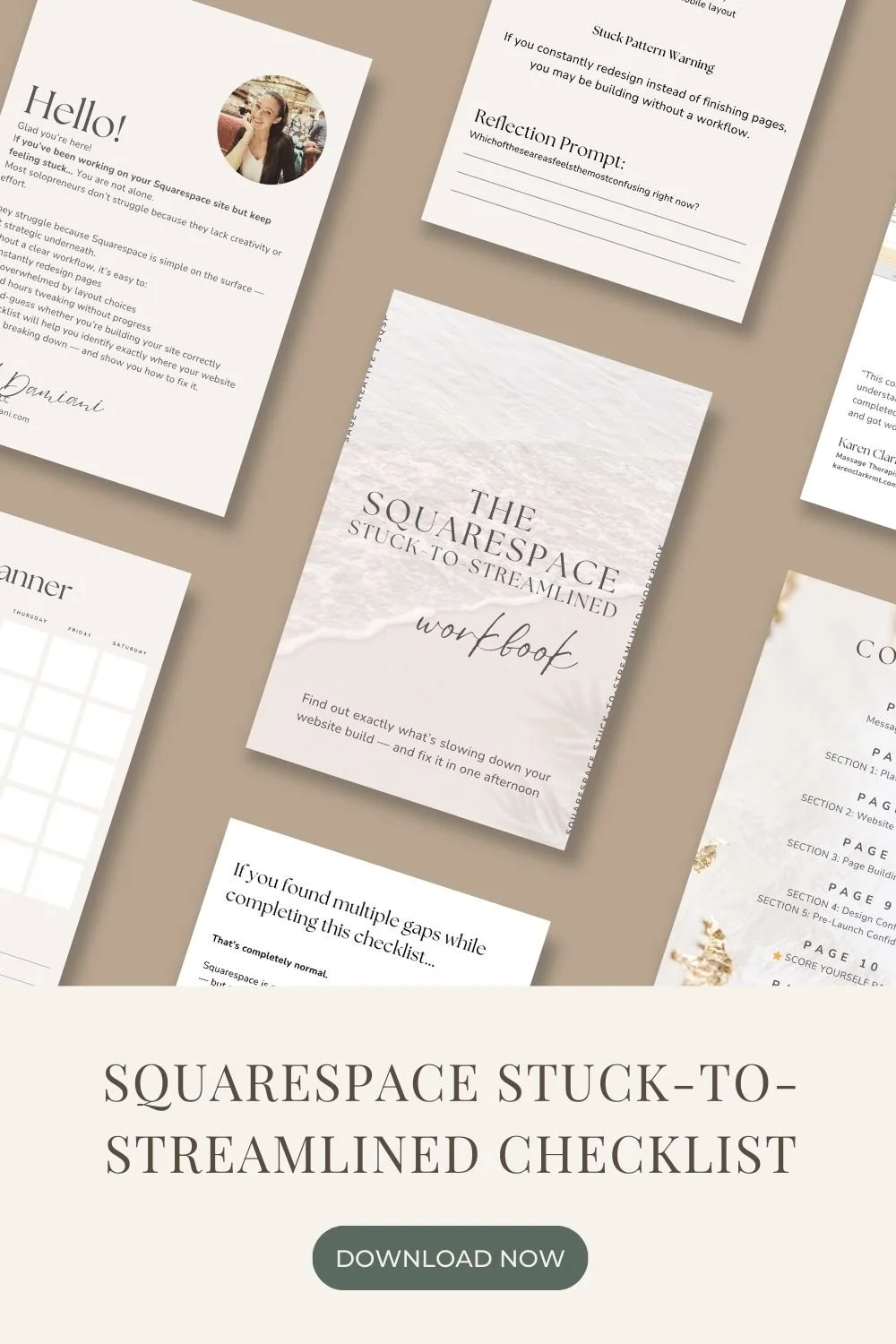
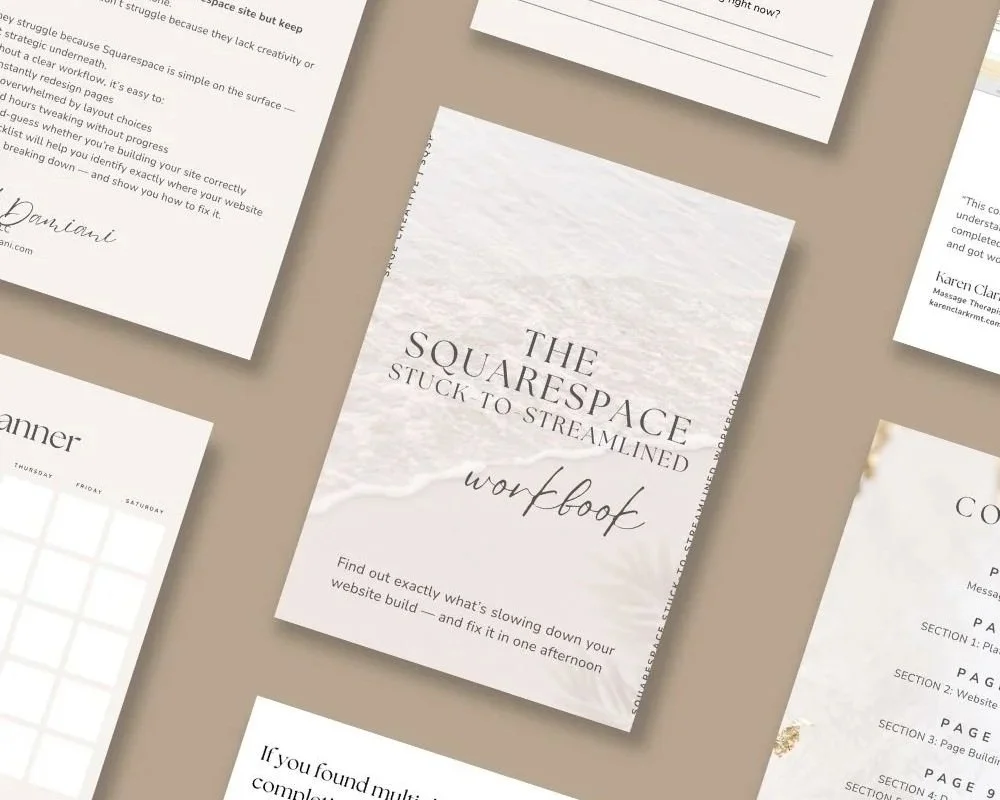
In this guide, I’m walking through the most common reasons your Squarespace build feels stalled and how to get your momentum (and your mojo) back. And guess what?—there’s a free companion workbook you can use alongside this post to map out your next steps and finally publish that beautiful, client-attracting site.
Why Your Squarespace Build Feels So Overwhelming
Let’s name the thing: building a website asks you to be a strategist, copywriter, designer, tech support, and CEO all at once. That’s… a lot. No wonder it feels heavy when you sit down to “work on the website.”
For most coaches and course creators, the overwhelm usually comes from three places:
First, decision fatigue. Squarespace makes it easy to drag, drop, and try a million options. That flexibility is amazing—until you’ve changed your homepage layout for the fourth time and still don’t feel finished. Every section asks you to make choices: fonts, colours, images, navigation, buttons, and layout. It’s no surprise your brain throws up its hands and says, “We’re done here.”
Second, perfection pressure. Your website feels like “the thing” that will finally make your business real. Because it’s so public, you feel like it has to be flawless before you can let anyone see it. That perfectionism is sneaky; it disguises itself as “I just need to tweak one more thing” while actually keeping you from launching. I’d be guilty if I said I don’t do this myself.
Third, unclear strategy. If you’re not totally sure who you’re talking to, what you’re selling, or what you want visitors to do, then every page becomes a guessing game. Design decisions are 10x harder when there’s no clear strategy guiding them.
Your Squarespace build isn’t stuck because you’re not trying hard enough. It’s stuck because you’re missing a simple framework to make decisions and move forward. That’s exactly what we’re going to build out.
Get Clear on the Job Your Website Is Supposed to Do
Before you touch a single layout or font, you need one essential piece: clarity on the job your website is here to do. A beautiful site that doesn’t lead visitors anywhere specific is just a very pretty business card.
For coaches and course creators, your website usually has one of three main jobs:
Book discovery calls or coaching sessions
Grow your email list for your programs or courses
Sell a specific offer directly (like a signature course or membership)
Your site can support more than one goal, but something needs to sit in the top spot. When everything is equally important, nothing stands out—and your visitors quietly slip away without taking action.
Take a breath and ask yourself: If someone lands on my homepage for the very first time, what is the number one action I want them to take? Do I want them to book a call? Download a free guide? Enroll in a self-paced course?
Once you know this, you can filter every decision through that lens: Does this section help them take that action, or does it distract them? That single question alone can melt away so much of the confusion that’s been keeping you stuck.
In the free workbook that goes with this post, you’ll find prompts to help you define your primary website goal and supporting goals, so you’re no longer designing in the dark.
Map Your Essential Pages (Instead of Trying to Build Everything)
Another sneaky place websites go to die: trying to build every possible page from day one. You start with the best intentions—maybe a blog, podcast hub, resources library, multiple sales pages—and suddenly you’re juggling twelve unfinished layouts.
To actually get launched, you only need a simple, focused set of core pages. For most coaches and course creators, that looks like:
• Home – the welcome mat and guidepost to the rest of your site
• About – your story, authority, and connection point
• Services or Work With Me – a clear breakdown of how people can hire you
• A primary Offer or Sales page – for your main service or signature program
• Contact – a simple way to reach you or book a call
You can absolutely add more later—blog posts, resources, speaking pages, a full course catalogue—but those are “Phase Two” items, not launch blockers.
“So, what if I’m using a template?” That’s great, but are you making tons of changes to the design? Have you deleted and started over? Have you thought to yourself, “Ok, I can design this better,” only to have spent hours trying to create a page that just isn’t hitting it?
Stop Fighting the Template—Use It Strategically
Here at Sage Creative, we live and breathe templates. Not because you can’t DIY from scratch—but because you absolutely don’t need to. Squarespace templates (and especially templates made for coaches and course creators) are designed to do the heavy lifting for you.
Where most people get stuck is when they start fighting the template instead of letting it guide them. You choose a design, then immediately delete half the sections, drag everything around, change all the fonts, and suddenly it looks nothing like the polished demo that made you fall in love.
Instead, think of your template as a conversation partner. It’s asking helpful questions like:
• Do you have a clear hero section with a headline and button?
• Are you sharing social proof, like testimonials or logos?
• Is there a simple way to understand your offer at a glance?
Rather than tearing it apart, try this: keep the overall structure and simply swap in your words and images first. Only adjust the layout after your content is in place. This lets you see what actually needs changing instead of guessing.
If you’re using our Claude or Violette template, you’ll notice that each section is intentionally designed with coaches and course creators in mind: places to highlight your framework, showcase your program, invite people into your calendar, and grow your list. When you let the template guide you, your site starts falling into place much faster.
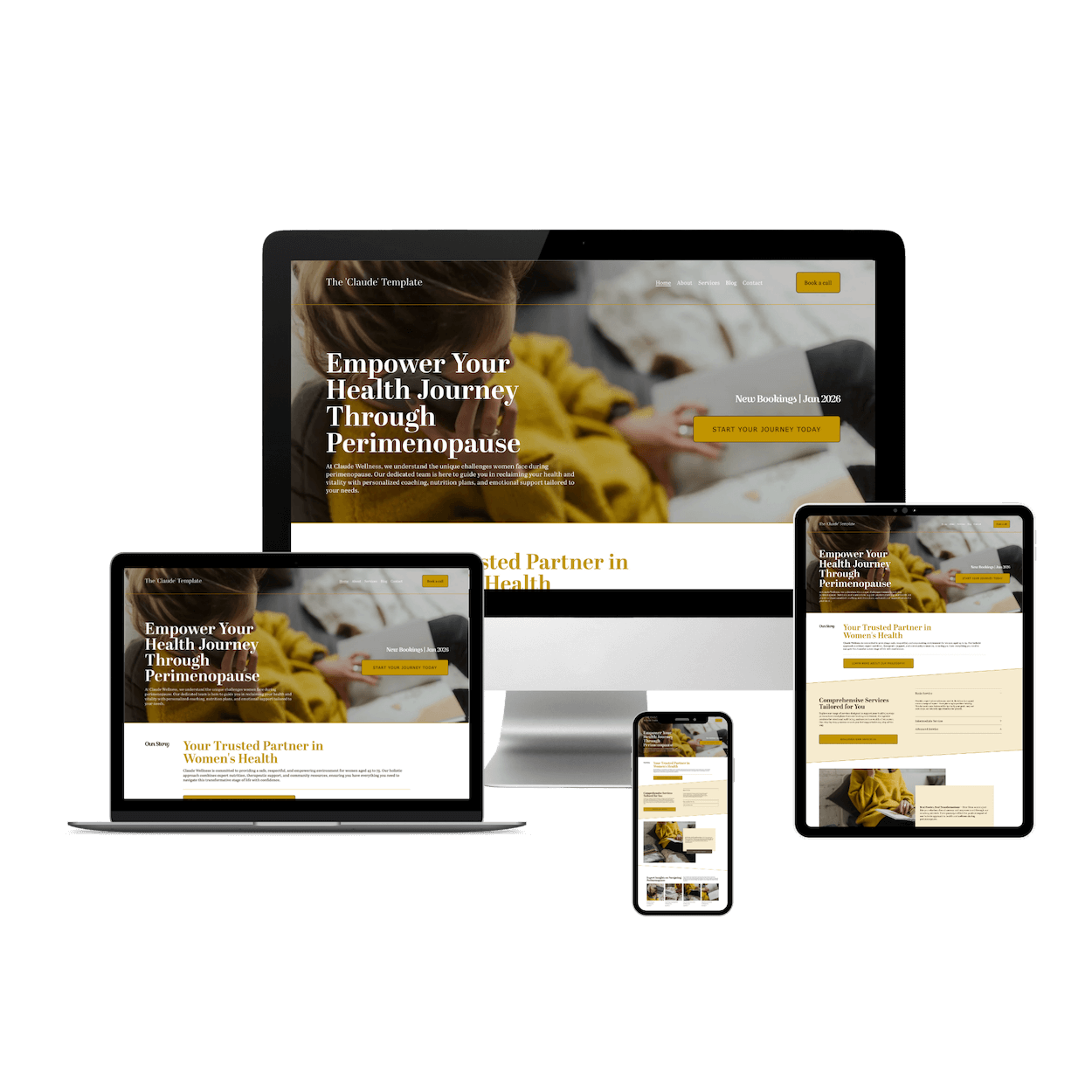
A Squarespace template designed specifically for health coaches, wellness coaches, and life coaches who want to look established from day one—without the $5,000 designer price tag.
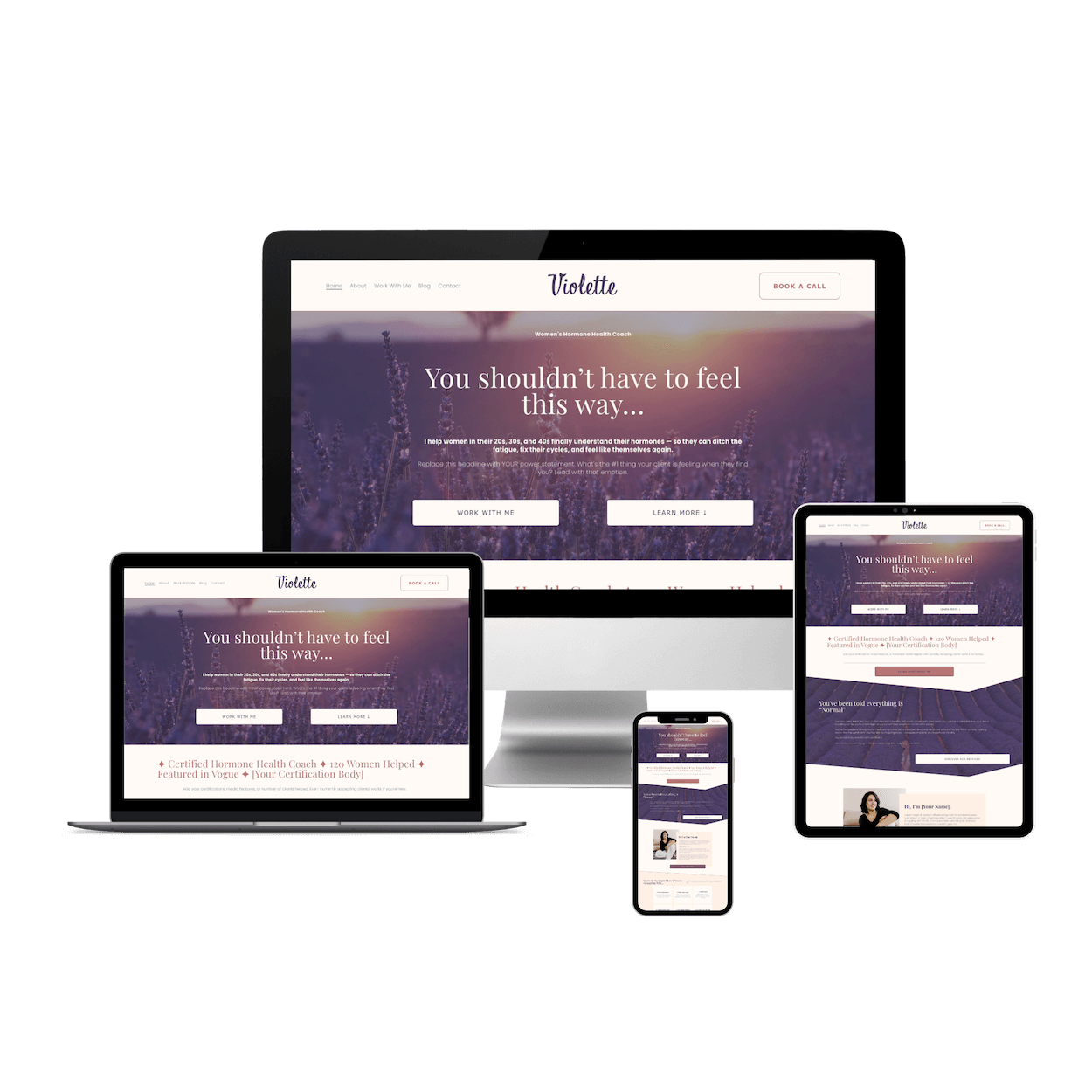
Violette is a feminine Squarespace website template designed for hormone health coaches, fertility coaches, and women's wellness practitioners. Soft lavender tones, elegant typography, and conversion-focused layouts help you attract clients and look established from day one. Launch your coaching website this weekend.
Write “Good Enough” Copy That Sounds Like You
Copy is one of the biggest sticking points in any website build. You sit down to write, and suddenly every sentence sounds awkward or boring. You wonder if you should hire a copywriter, but that delays everything and adds another investment to the list.
Here’s the truth: your website doesn’t need perfect copy to launch. It needs clear, kind words that help your people understand how you can help them. Done is more powerful than perfect—especially online, where you can edit any time.
If you’ve purchased one of our templates, the copy is yours! Tweak is as you need, or leave it as it is 🤩
Start small. On each page, answer three simple questions:
• Who is this page for?
• What do they want?
• What do I want them to do next?
Then write as you talk. Imagine your favourite client sitting across from you with a cup of coffee. How would you explain what you do, how you can support them, and what their next step is? That’s your copy.
You can refine later. You can always come back and add personality, polish your headlines, or test new messaging once your site is live and collecting real data. For now, your job is to get version one out of your head and onto the page.
Set Tiny, Kind Deadlines (And Actually Hit Publish)
One of the reasons your website has been “in progress” for so long is that the deadline keeps quietly moving. There’s always another tweak you could make, another idea you could add, another photo you might want to re-shoot.
To get unstuck, you don’t need a massive productivity overhaul. You just need tiny, kind deadlines tied to specific, doable tasks. Instead of “Finish website this weekend,” try “Write copy for my Home and About pages tonight” or “Upload photos and update fonts tomorrow.” Ask your AI buddy, like Gemini or Claude, to help you with this.
Simply Prompts For your AI:
Prompt 1 — Homepage hero + value proposition:
You are a copywriting assistant. Write a concise, benefit-led homepage hero section (headline, subheadline, and 1–2 CTAs) for a small business that sells [product/service]. Target audience: [describe ideal customer: demographics, pain points, and aspirations]. Brand voice: professional, friendly, humble. Key differentiators: [list 2–3 unique selling points, e.g., handcrafted, fast turnaround, white-glove support]. Desired length: headline ≤10 words, subheadline 15–25 words, CTAs: one primary and one secondary (each 2–4 words). Avoid jargon and superlatives. Include one variation that is slightly more playful and one more formal variation.
Example filled-in version: You are a copywriting assistant. Write a concise, benefit-led homepage hero section (headline, subheadline, and 1–2 CTAs) for a small business that sells handmade soy candles. Target audience: women 25–45 who want a non-toxic home fragrance that feels cozy and giftable. Brand voice: professional, friendly, humble. Key differentiators: sustainably sourced soy, long burn time, small-batch production. Desired length: headline ≤10 words, subheadline 15–25 words, CTAs: one primary and one secondary (each 2–4 words). Avoid jargon and superlatives. Include one variation that is slightly more playful and one more formal variation.
Give yourself short working sessions—30 to 60 minutes is plenty—and one clear focus for each. Close other tabs. Put your phone out of reach. Let this be a little date with your future business. When the timer’s up, you stop. No drama, no guilt. You come back for another round later.
And then, the big one: choose a launch date. Put it on your calendar. Tell a friend. Even better, tease it to your email list or on social media. Making it real outside your head gives you just enough gentle pressure to follow through.
Remember, a launched, imperfect website is infinitely more powerful than a “perfect” site that no one can see. You can’t get feedback, clients, or clarity from something that lives only in your drafts.
How to Use the Free Workbook to Get Unstuck Fast
Let’s talk about that free workbook, because it’s designed to be your mini-buddy co-pilot through this whole process. Instead of reading this post, nodding along, and then forgetting everything by tomorrow, you’ll have a place to capture decisions and turn them into a simple action plan.
Here’s how to use it:
✔ Move through each section honestly
✔ Check off what you’ve completed
✔ Circle or highlight anything you’re unsure about
✔ The more unchecked boxes you have = the clearer your next focus area becomes
✔ At the end, use my ‘score yourself page’ to see where you are with your site
Conclusion:
Your Squarespace website build doesn’t need to be a never-ending project haunting your to-do list. With a clear goal, a handful of essential pages (maybe even a cooperative template) and some “good enough for now” copy, you can absolutely get your site launched—without burning out or rebuilding from scratch.
You deserve a digital home that feels like you: inviting, intentional, and ready to welcome in the clients and students you’re here to serve. The sooner your website is live, the sooner it can start doing its job—introducing you, explaining your offers, and gently guiding people toward working with you.